

Adding Targets and Hunt Scans

Hunts
In HunterX, a "Hunt" is a single agentless scan/assessment run against a prospect or client's domain and email infrastructure. Hunts provides you with scan options to add targets to the Hunter X platform. When you "run a hunt" on a target organization's domain, Hunter X will:
- Scans publicly available signals tied to their domains and email infrastructure.
- Produces a risk report with financial impact quantification.
- Helps you find prospects similar to the companies you already serve with the Lead Discovery scan option.
Choose from 3 hunt types: Lead Discovery, Add Target, and Import Targets.
Lead Discovery
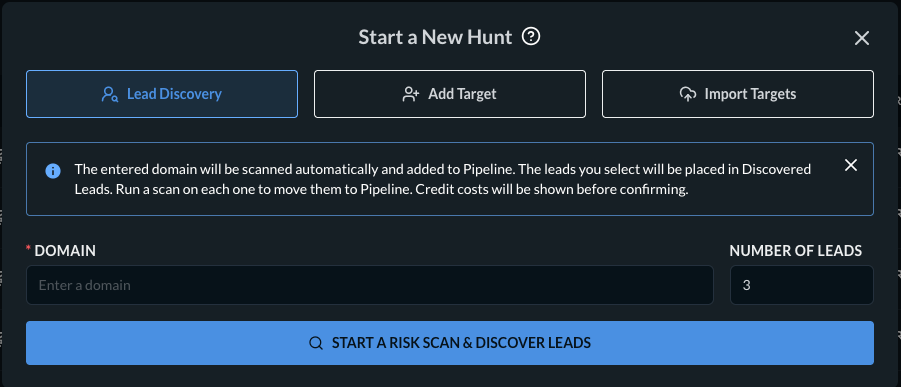
Lead Discovery is the process of identifying potential business contacts (leads) from a scanned domain. The entered domain will be scanned automatically and added to the Pipeline. This option will find potential business leads and place them under the Discovered Leads tab. To deep dive into the Lead Discovery process, please review this documentation.
Add Target
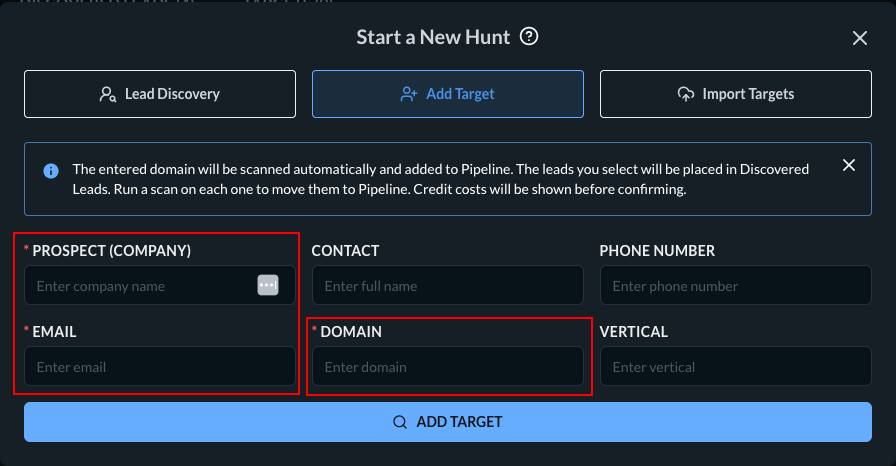
If you don’t want to discover leads and instead only want to add and scan a target domain, use the Add Target option.
Import Targets
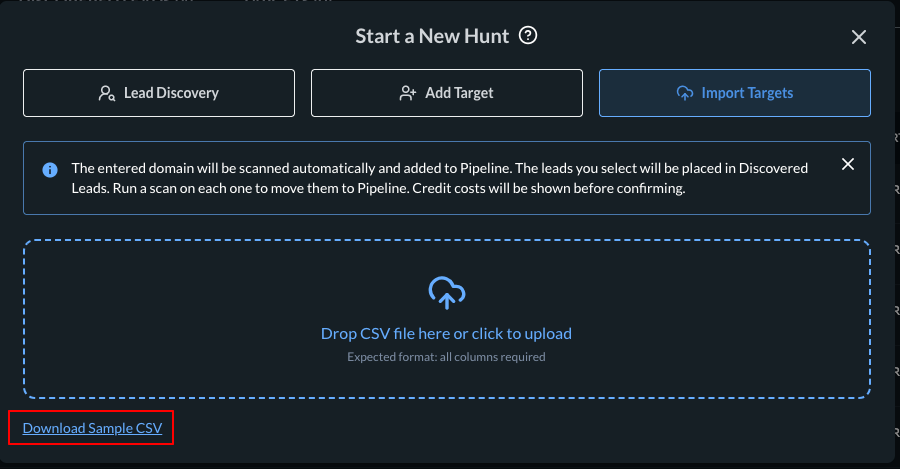
You can import multiple targets (domains) via CSV.
-
Click the Import Target tab.
-
Click the Download Sample CSV link.
-
Fill in the fields with your clients' details.

-
Save the file and click the icon to upload your CSV file or drag the file to the designated area.
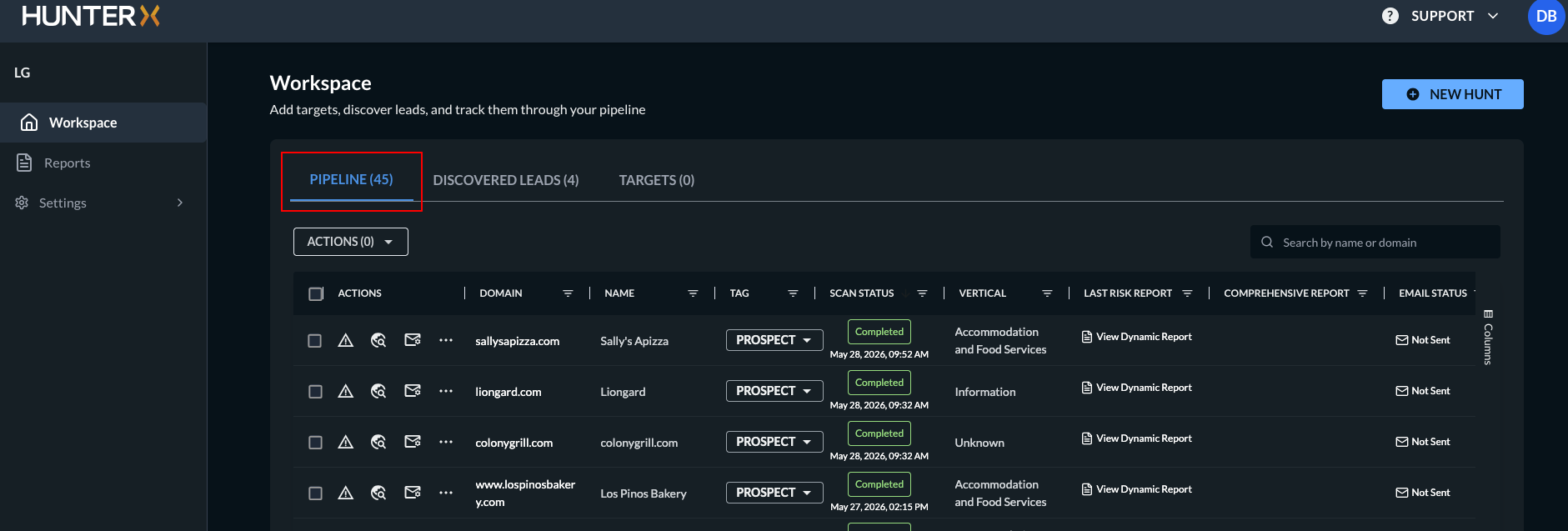
After selecting a scan option, all targets will be displayed under the Pipeline tab.
Updated 5 months ago