

Defender HQ
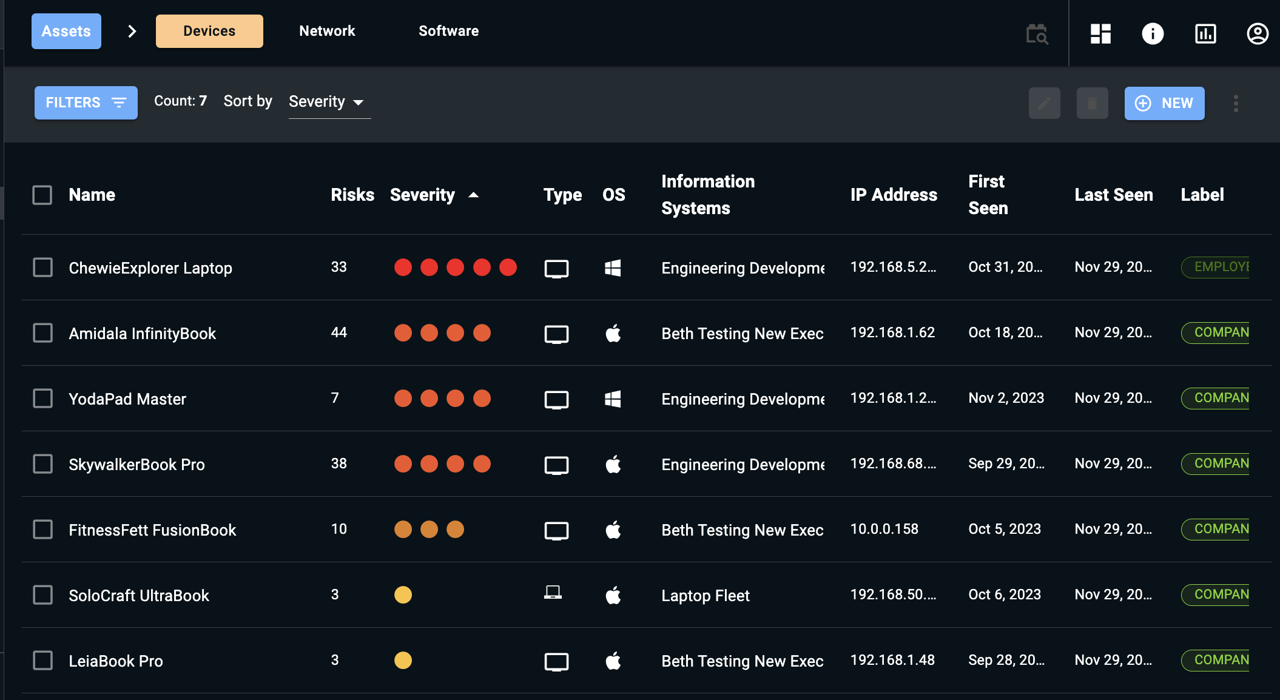
The Defender HQ section provides you with an asset-centric view of your systems. This view is designed for individuals—often members of operations teams—who focus on identifying and remediating the highest-risk assets in the environment.
Asset-Centric View
ThreatImpact IQ’s Asset View (e.g., devices, networks, software) allows you to assess which assets require the most urgent attention quickly. You are presented with a prioritized list of assets, automatically sorted in descending order by risk severity. This ensures that the assets posing the highest risk appear at the top of the list.
Prioritization Benefits
By displaying assets in order of severity, ThreatImpact IQ gives you an immediate understanding of which devices or systems you should address first, helping streamline remediation efforts and improve overall security posture.
Asset Details Overview
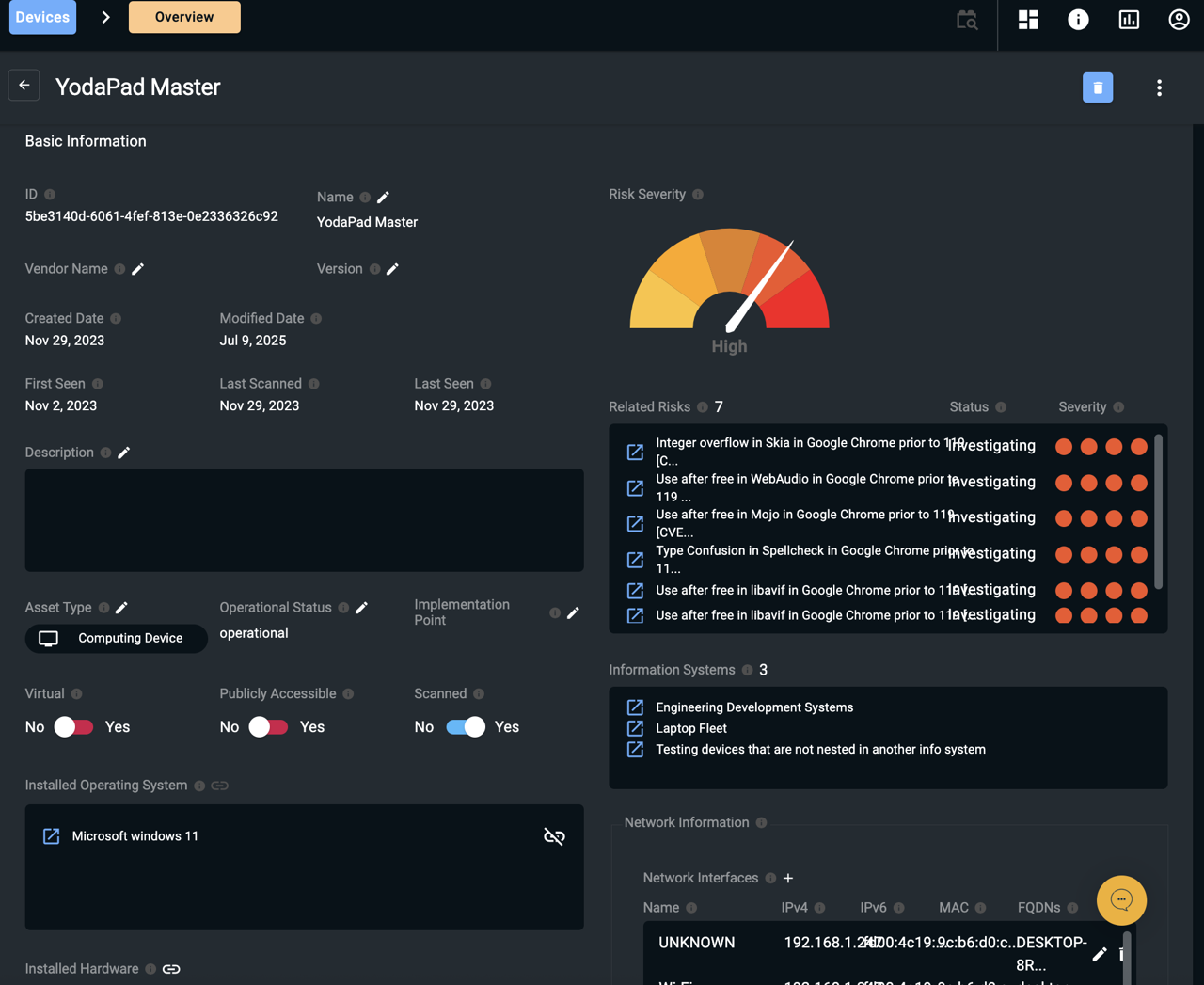
You can select any asset to view additional information about it. The Overview page displays the asset’s Basic Information along with:
- Associated risks
- Installed operating system
- Installed application software
- Information systems to which the asset belongs
Each item in these lists is hyperlinked. Selecting a link navigates you to the corresponding Overview page for that asset, risk, or information system, allowing you to easily explore related details.
Updated 9 months ago