
Reports
We have 2 Report types: Risk Scan Reports and Comprehensive Scan Reports.
- Risk Scan Reports Review scan detail summary.
- Comprehensive Scan Reports Review scan detail summary.
This section outlines what each report includes and when to use them.
After completing a scan of your choosing, the associated report will be available for you to review on the Prospect Management page. The Risk report can be viewed by clicking "View Dynamic Report" under the Risk Report column, and the Comprehensive report can be viewed by clicking "View Report" under the Dark Web Report column.
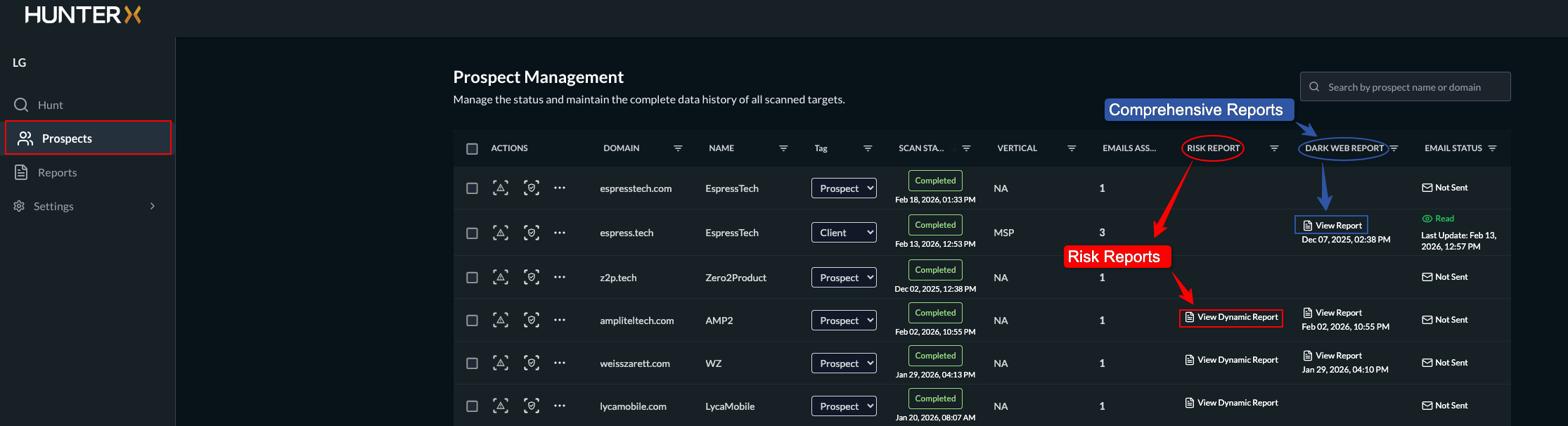
Risk Reports
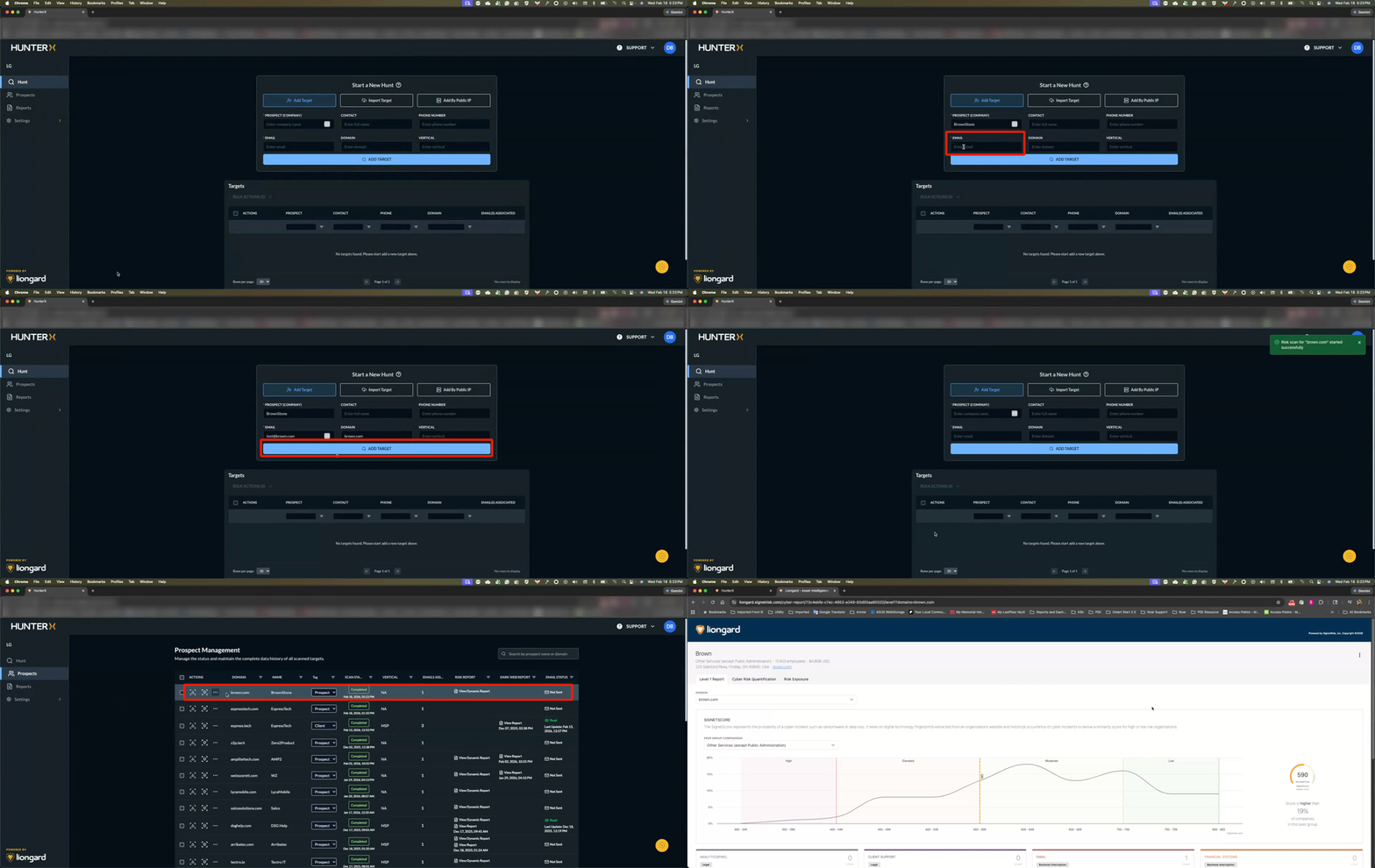
For a detailed dive into the Risk Report, click this link
Click this link for a high-level overview tour of the report.
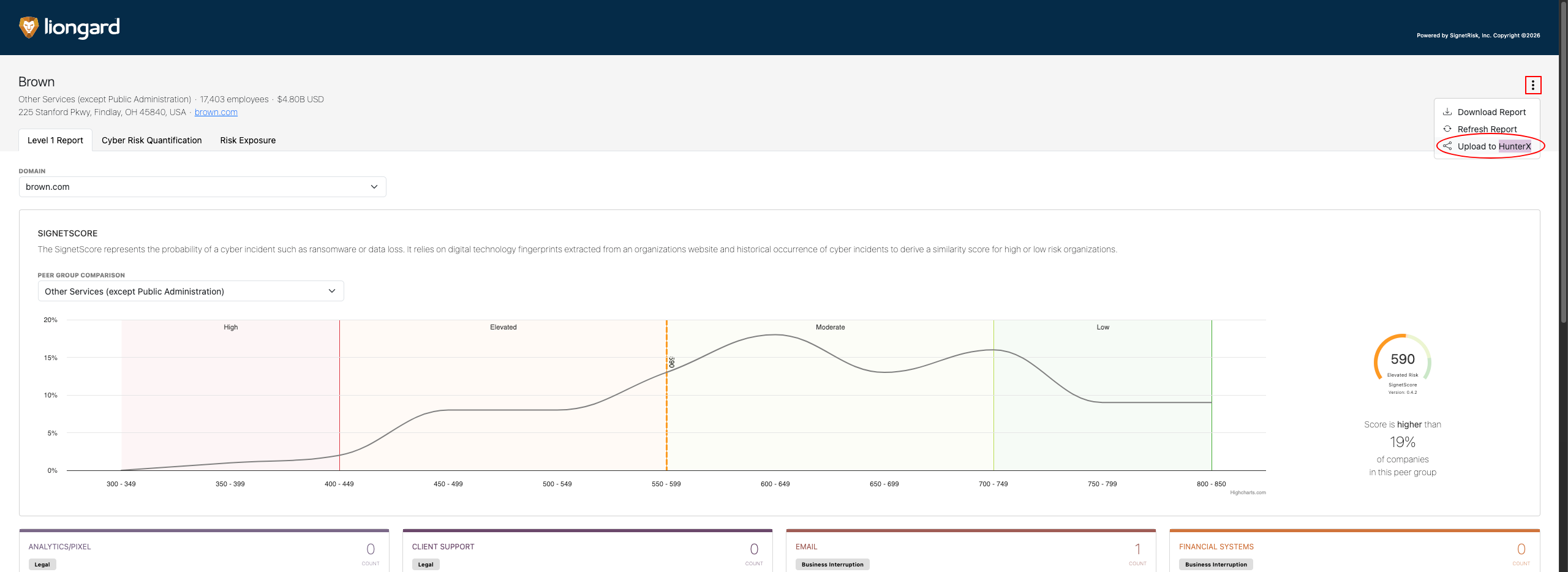
Upload to HunterX
You can upload your Risk report to HunterX
-
Click the menu icon located at the upper right side of the report.
-
Click Upload to HunterX.
Comprehensive Report
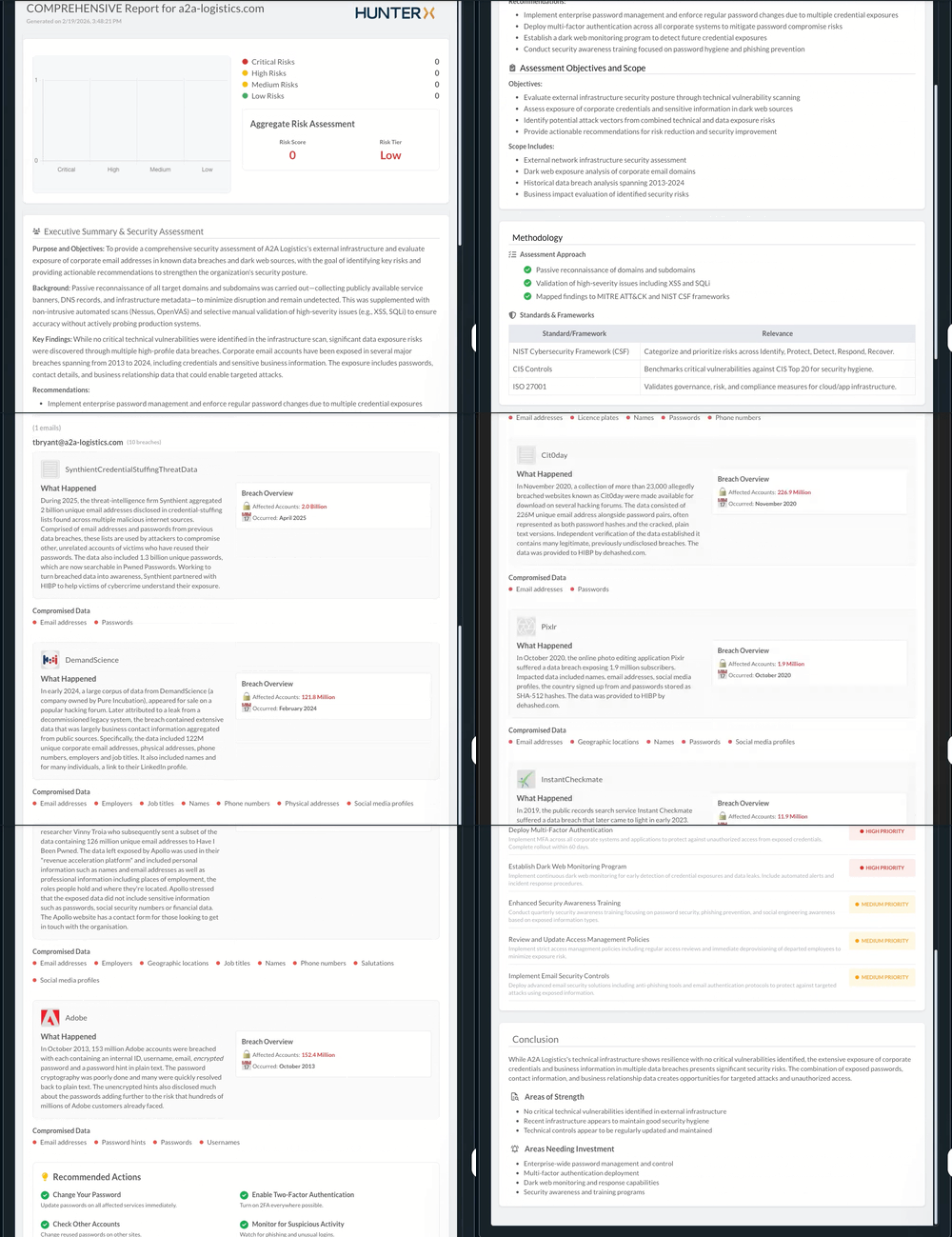
A Comprehensive Scan gives you the most complete security assessment, including technical and dark web analysis.
Click Scan results for more details.
Updated 3 months ago